
Panel Patterns
Now that you're familiar with the big picture and the application structure, it's time to choose your first pattern. To accommodate the two main engagement styles, we have created two core patterns. The Always Viewing Pattern is designed to support the high-absorption experience and the Activity Pattern is designed to support the high-activity experience.
Always Viewing Pattern
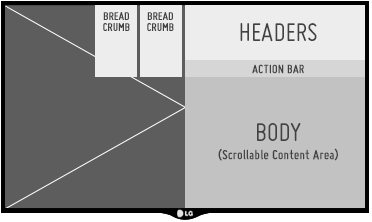
Typical Panel in an Always Viewing Pattern App
The Always Viewing Pattern puts the focus on your fullscreen content; the UI is a simple, unobtrusive tool for presenting that content, with panels layered over a portion of the screen. This pattern is intended for applications that aim to provide a constant stream of content to the user (e.g., Live TV and Pinterest). It also works well for other content or media-rich applications that are willing to sacrifice UI real estate for a more immersive experience.
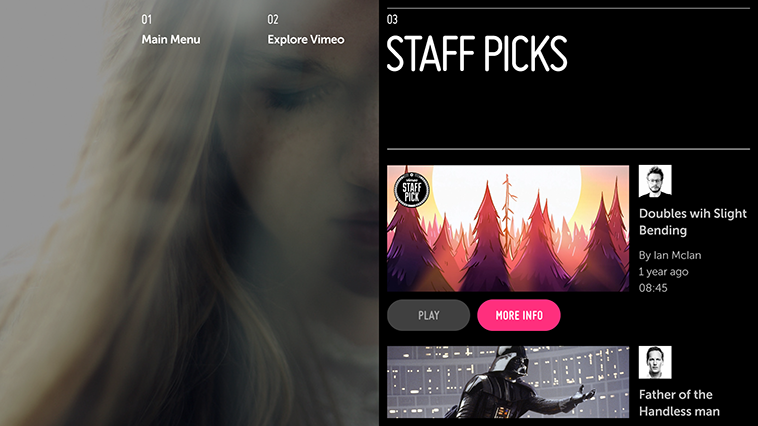
Always Viewing Pattern Example: Vimeo
Activity Pattern
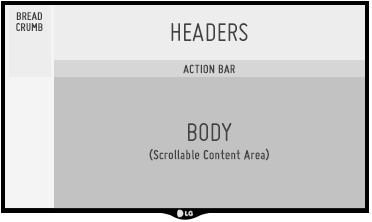
Typical Panel in an Activity Pattern App
The Activity pattern provides a fullscreen UI experience suitable for more task-based activities without overcomplicating or violating users' expectations of TV. While this pattern may also be used for fullscreen content delivery, it does not support the simultaneous display of fullscreen content and the panel UI.
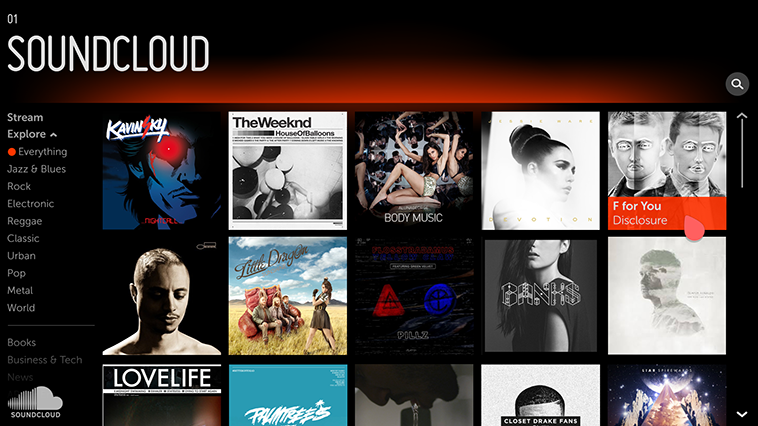
Activity Pattern Example: Soundcloud